Admin panel
Costs under control. You see what works.
- A hard monthly limit for the organisation: tokens, cost or messages. Queries stop at the limit.
- Per-team limits on request rates and on which AI models a team may use.
- Any AI model: commercial via your own keys, or open models on your own servers. Switch any time.
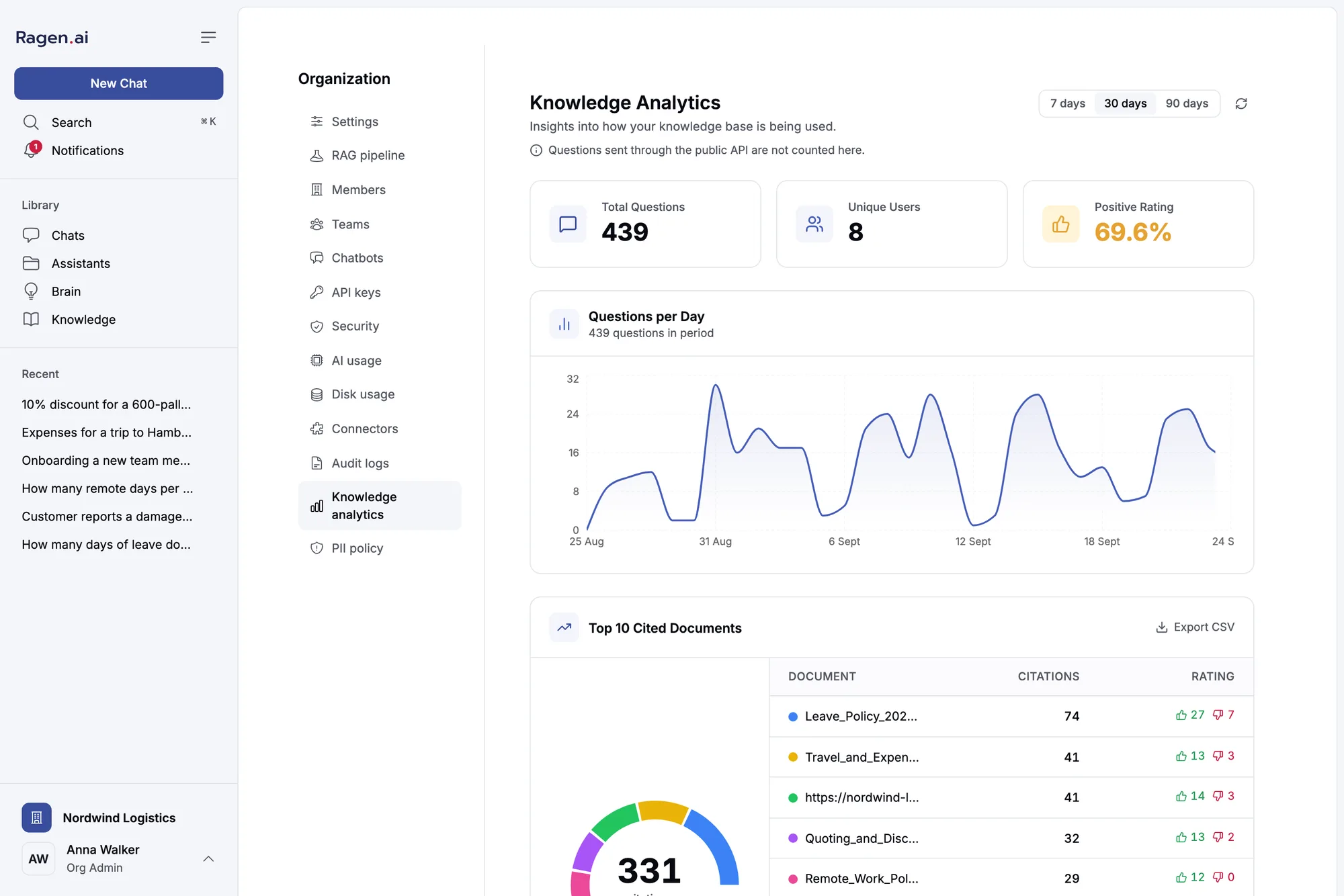
- See what’s used: questions per day, the most cited documents, answers people rated down.
- Audit log of changes to permissions, roles, documents and API keys.
For the person who runs it
One panel for the whole installation.
The admin panel is for the person who runs the Ragen installation, not for the people who use it. It gives you a cross-organisation view of everything: who is on the platform, how much they're using, which connectors are failing, and what security events have occurred.
Access is a separate platform administrator role, not the same as being an organisation owner. It is re-read on every request, so revoking it takes effect immediately.
-
Organizations and users
See every organisation, manage members and roles, and review settings and storage. Rename accounts, ban or unban users, and grant or revoke the platform admin role.
-
Features
Turn features on or off for one organisation or as platform defaults, and see which layer decides each one.
-
Limits and models
Set storage ceilings, monthly token and cost caps, member caps and model allowlists, per organisation and as defaults. Apply Defaults shows exactly what would change before it writes anything.
-
RAG settings
Per-organisation switches for multi-query expansion, document summaries and reranking, with platform defaults for them.
-
API keys
Every key on the installation with its organisation, project, creator and last-used date. Deactivate it, or revoke it for good.
-
Connectors
Add an MCP server without a deploy, test it, switch any connector off platform-wide, and see which ones are failing and why.
-
Guardrails
Write the rules a chat turn has to pass, switch built-in detectors on, read each rule's hits over the last 7 days, and override a rule for one organisation.
-
Usage
AI usage (tokens and estimated cost per model call) and disk usage per organisation, filterable by period.
-
Activity and incidents
An audit log of every change with before-and-after values, and a security event log: failed sign-ins, brute-force attempts, rate-limit breaches, cross-organisation access attempts and guardrail hits. Email alerts included.
Logs, usage, keys, connectors and incidents export to CSV with the filters on screen, protected against formula injection. Every download is itself recorded in the activity log.
Features
Four layers decide every feature.
A feature is on or off for an organisation. The first of these layers that sets it decides.
- Organisation override
- The organisation's plan
- Platform default
- Built-in default
Freeze an organisation's content and configuration while its members can still read and ask questions. A showcase organisation is the typical case.
What it will not do
Everything you need to run it, nothing you shouldn't see.
-
Read anyone's conversations
There is no message viewer. Thread content is encrypted per organisation, and the panel holds no path to decrypt it.
-
Impersonate a user
Platform administrators are explicitly denied impersonation rights at the permission level, whatever the interface shows.
-
Create accounts
It grants roles and manages membership. The account has to exist first, created by the user themselves.
-
Export everything at once
Thread export is per thread, scoped to one organisation, and needs ownership or org-admin access.
See Ragen on your own documents
30 minutes, no commitment. We’ll show you which questions it can take off your team’s plate.
Book a 30-min demo Deploy it yourself on GitHubA call with the engineers behind Ragen.